Silent Tenants on the Wire: Auditing the Appliances That Outlived Their Administrators

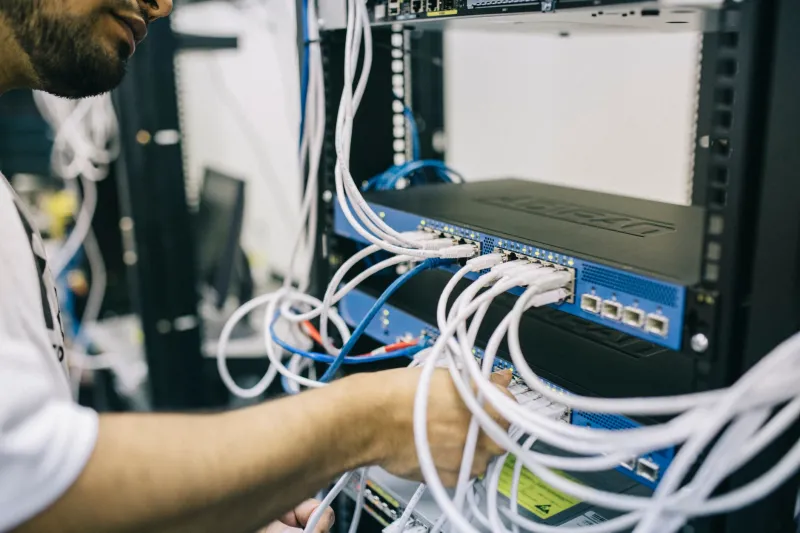
Photo: Ana Las Heras, CC BY-SA 4.0, via Wikimedia Commons
Every mid-size company has them: hardware that was installed once, configured by a vendor who no longer returns calls, and left to run undisturbed for seven, eight, sometimes ten years. The floor printer that only the office manager knows the admin password to. The badge reader at the loading dock. The rooftop HVAC controller that a facilities contractor set up in 2016 and nobody has touched since.
These devices are not invisible. They are generating network traffic every day, and in a troubling number of engagements, our teams have found that traffic flowing to destinations nobody in the IT department can explain. This article lays out a field-tested methodology for finding those silent tenants, determining whether they are merely chatty or genuinely compromised, and making the quarantine-versus-replace call when the device turns out to be load-bearing for the business.
Why Legacy Hardware Persists in American Mid-Market Networks
The pattern is consistent across manufacturing firms in the Midwest, professional services shops in Atlanta, and healthcare clinics in Phoenix. Devices survive because they work. Nobody replaces a badge reader that still opens doors, and nobody patches a print server that nobody knows is a print server.
The problem is that the threat landscape did not freeze in 2016. Firmware released before the era of automatic updates carries known credentials, unpatched protocol flaws, and in some cases, hardcoded cloud endpoints that changed ownership years ago. When those devices sit on flat internal networks with unrestricted egress, they become both an entry point and a covert channel out.
Step One: Build the Baseline Before You Hunt for Anomalies
You cannot flag suspicious traffic without first understanding what normal looks like for a device that has no business being normal. The methodology is straightforward, though it requires discipline.
Enumerate by ARP, not by asset list. Your CMDB is aspirational fiction. Instead, pull the ARP tables from your core switches and layer-three boundaries. Every MAC address on the wire is a tenant, whether or not it appears in anyone's spreadsheet. Cross-reference MAC vendor prefixes against OUI databases to identify devices by manufacturer—this alone usually surfaces hardware the asset inventory missed.
Mirror, don't block. Configure a span port or network tap on the uplinks serving these device segments. A week of mirrored traffic gives you a baseline without tipping off anything that might be listening.
Categorize the conversations. Sort outbound flows into four buckets: destinations that make sense (the vendor's documented update server), destinations that are explainable but undocumented (a time server, a syslog target set during installation), destinations that are unexplainable, and destinations that are unexplainable and geographically inconvenient.
Red Flags That Suggest Compromised Firmware
Most forgotten hardware is merely neglected. A smaller subset is actively hostile. The following indicators, drawn from incident response work across multiple client environments, warrant immediate escalation:
- Periodic, fixed-interval beacons. Legitimate devices poll at semi-random intervals. Malware tends toward metronomic regularity—a connection every 300 seconds to the same IP is a signature, not a coincidence.
- DNS names registered within the last 90 days. A 2015-era printer has no legitimate reason to resolve a domain created last month. Free WHOIS lookups will catch this in minutes.
- Traffic to bulletproof hosting ranges. Cross-reference destination IPs against reputation feeds. Hosting providers that tolerate abuse appear repeatedly in compromise cases.
- Payload-bearing connections. Baseline device traffic is small: status checks, NTP syncs, SNMP polls. Flows carrying kilobytes of outbound data on a regular schedule deserve a closer look.
- New listening services. A device that suddenly opens a port it never used before has likely been touched by something other than its vendor.
The Quarantine-or-Replace Decision Framework
Once you have a suspect device, the decision is rarely as simple as unplug it. Badge readers, building controllers, and production-floor hardware often sit in the path of revenue. We advise clients to score the device across three axes.
Business criticality. What breaks if the device goes dark for 48 hours? If the answer is "the loading dock stops moving" or "the operating rooms can't control airflow," replacement planning must come before quarantine.
Confidence in compromise. A single unexplained beacon to a CDN might be a vendor acquisition. Metronomic traffic to a freshly registered domain in a high-risk hosting range is a different story. Document the evidence before you act—your incident response retainer and, if it comes to it, your cyber insurer will both want it.
Feasibility of containment. A device on a switch port you control can be fenced with a VLAN and an egress deny list in an afternoon. A device buried in a facilities network with no documentation may take weeks to isolate safely.
The resulting decisions map cleanly: low criticality, high confidence—pull the cable today. High criticality, low confidence—contain egress, schedule replacement, monitor. High criticality, high confidence—engage incident response before touching anything, because the device may be evidence in an active intrusion.
Making This Sustainable
The audit is the easy part. The harder discipline is preventing the next generation of forgotten hardware. Require an egress profile for every device at procurement, treat vendor-managed appliances as third-party risk in your review process, and put a hard expiration date on anything that ships without a patching commitment.
The devices that phone home to foreign IP addresses did not appear overnight, and they will not disappear overnight either. But a two-week baseline exercise, run once a year, converts an invisible attack surface into a managed one. For organizations without a SOC, that conversion is the difference between discovering a compromised printer in a threat hunt and discovering it in an FBI notification.